

Meta Description: Planning your World Cup 2026 broadcast or podcast studio? This complete setup checklist covers three tiers — Starter, Professional, and Pro-Level — with desk recommendations, mic arms, lighting, acoustics, and cable management. Download the free PDF checklist.
Target Keywords: world cup studio checklist, broadcast setup guide 2026, podcast studio setup world cup, home broadcasting desk 2026, sports commentary studio equipment
Introduction: 104 Matches. One Shot to Look and Sound Like a Pro.
The 2026 FIFA World Cup is unlike anything before it. For the first time in history, 48 teams compete across 104 matches — spanning 39 days from June 11 to July 19 — across 16 host cities in the United States, Canada, and Mexico.
For broadcasters, sports podcasters, YouTube commentators, and media teams, this is the single biggest content opportunity of the decade.
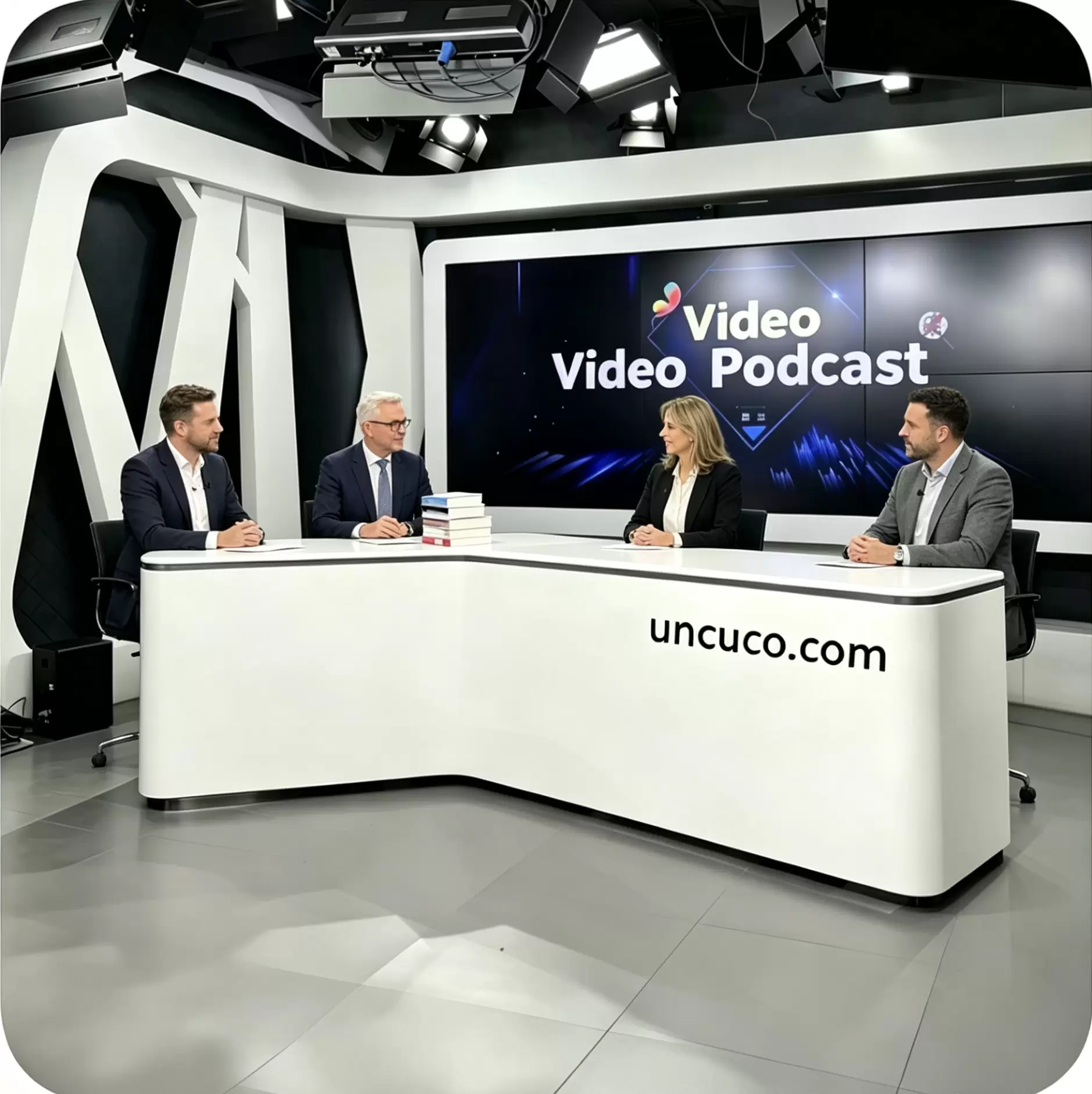
But here’s the problem most creators overlook: audiences no longer just listen — they watch. Your setup is part of your brand. A cluttered table, inconsistent lighting, or echo-filled audio tells viewers you’re not serious before you say a single word.
This guide gives you the complete World Cup studio setup checklist for 2026 — organized into three tiers based on budget and ambition. Whether you’re launching your first football podcast or upgrading a newsroom, every section below tells you exactly what to buy, what to prioritize, and why your broadcast desk is the single most important anchor in your setup.
Why Your Desk Is the Foundation of Every Great Broadcast
Before we get into the checklist, let’s establish the most important principle of professional broadcast design: every element in your studio relates back to your desk.
Your desk determines:
-
- Camera framing — the height and depth of your workspace dictates how you appear on screen
- Microphone positioning — arm reach, cable routing, and clutter all start at the desk surface
- Acoustic behavior — hard, flat desk surfaces reflect sound; the right desk design minimizes this
- Professional perception — a purpose-built anchor desk signals authority to your audience immediately
Generic office furniture is not designed for broadcast. A proper news anchor desk, podcast desk, or studio recording desk is engineered specifically for on-camera work — with features like low-reflection surfaces, integrated cable management channels, optimized monitor placement zones, and structural depth that puts you in the frame correctly.
This is not a luxury upgrade. It is the single highest-ROI investment in your World Cup studio.
The World Cup Studio Setup Checklist: 3 Tiers
Below is the complete broadcast setup guide for 2026, organized from entry-level to full professional deployment.
✅ Tier 1 — Starter Setup: “Fan-to-Broadcaster” (~$500–$1,200)
Best for: First-time podcasters, YouTube sports commentators, home reaction-video creators, school media programs
This tier gets you on air quickly with a clean, credible setup. The goal is eliminating the three biggest beginner mistakes: bad audio, bad lighting, and a background that screams “home office.”
🖥️ Desk: The Core Anchor
-
- What to look for: A purpose-designed podcast desk or compact anchor desk with a matte, low-reflection surface finish. Avoid glossy white or glass surfaces — they create harsh reflections that blow out under studio lighting.
- Minimum dimensions: 48 inches wide × 24 inches deep. Anything smaller compromises monitor placement and mic arm reach.
- Key feature: Built-in cable routing channel or rear grommet holes. This single feature eliminates 80% of on-camera clutter.
- Recommended: [Podcast Desk — link to product page]
🎙️ Audio
-
- [ ] Dynamic USB or XLR microphone (e.g., Shure MV7, Audio-Technica AT2020)
- [ ] Single boom mic arm with desk clamp (fits standard desk edge up to 2 inches thick)
- [ ] Basic pop filter
- [ ] Acoustic foam panel behind/beside your recording position (at minimum — see Tier 2 for full treatment)
💡 Lighting
-
- [ ] One key light (ring light or LED panel, 10–12 inch minimum)
- [ ] Position at 45° angle to your face, not directly behind the camera
- [ ] Adjust color temperature to 5600K for a clean, broadcast-standard white balance
📷 Camera
-
- [ ] 1080p webcam minimum (Logitech BRIO or equivalent) OR DSLR/mirrorless via capture card
- [ ] Mount at eye level — this is non-negotiable for credible on-camera presence
🔌 Cable Management
-
- [ ] Cable clips or adhesive cable channels along desk legs
- [ ] Single power strip with surge protection, routed out of frame
Starter Checklist Download → [Download PDF]
✅ Tier 2 — Professional Setup: “Commentary Desk Ready” (~$1,500–$4,000)
Best for: Established sports podcasters, regional TV stations, digital media companies, corporate communications teams, multi-host shows
This tier is where your setup begins to compete visually with major broadcast networks. At this level, every component is selected for long-form reliability — critical during the World Cup’s 39-day marathon schedule.
🖥️ Desk: Broadcast-Grade Anchor Station
-
- What to look for: A full news anchor desk or multi-host podcast desk with a structured fascia panel (the front-facing surface viewers see on camera). This panel defines the “broadcast” visual identity of your setup.
- Surface finish: Matte Moonlight Grey, charcoal, or dark walnut — these tones absorb light rather than reflect it, reducing visual noise on camera.
- Cable management: Integrated in-desk cable trays and rear channel routing. All cables should be completely invisible on camera.
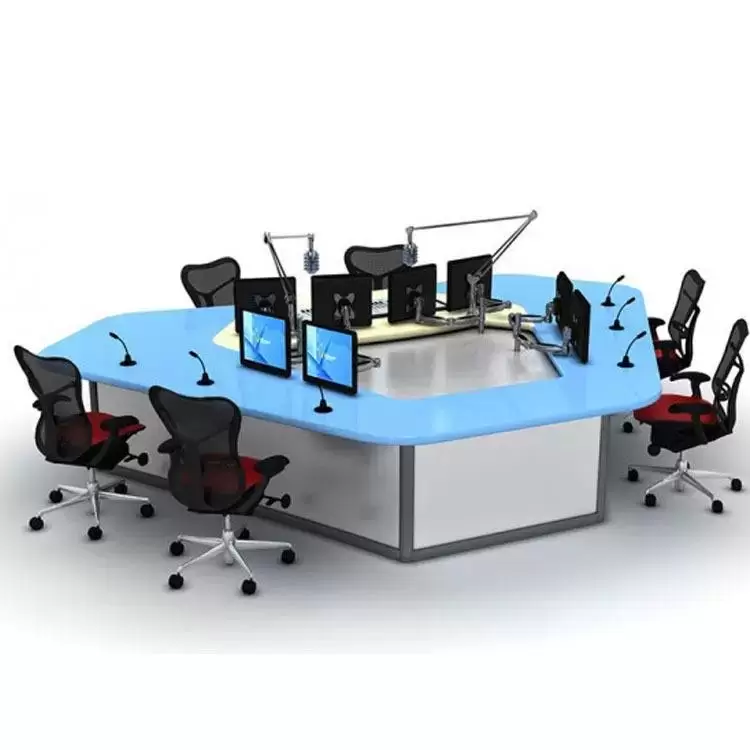
- Multi-host capability: Minimum 60–72 inches wide for two-person setups; 84–96 inches for three hosts.
- Recommended: [News Anchor Desk — link to product page]
🎙️ Audio
-
- [ ] XLR dynamic or condenser microphone per host (Shure SM7dB, Electro-Voice RE20)
- [ ] Multi-channel audio interface (Focusrite Scarlett 4i4 or Rodecaster Pro II for 2+ hosts)
- [ ] Boom mic arm per host — articulating arm with internal spring mechanism
- [ ] Acoustic treatment: 2–4 panels of 2-inch absorption foam behind and beside each host position
- [ ] Optional: Portable vocal booth reflection filter for tighter spaces
💡 Lighting
-
- [ ] Key light + fill light (two-point lighting minimum)
- [ ] Softbox or LED panel with diffuser for even facial illumination
- [ ] Optional: Dedicated background light for depth and separation
- [ ] Color temperature: consistent 5600K across all lights to avoid mixed-tone footage
📷 Camera
-
- [ ] 4K capable camera (Sony ZV-E10, Canon M50 Mark II, or similar mirrorless)
- [ ] Capture card (Elgato Cam Link 4K) if using DSLR/mirrorless
- [ ] Camera monitor arm for desk-mounted positioning at precise eye level
- [ ] Consider a secondary wide-angle camera for multi-host reaction shots
🖥️ Monitors and Displays
-
- [ ] 27-inch primary production monitor
- [ ] Second display for teleprompter, graphics, or stream preview
- [ ] Monitor arms for both screens — keep desk surface clear
🔌 Cable Management
-
- [ ] In-desk cable trays (integrated or aftermarket)
- [ ] Velcro cable ties — never zip ties (allows easy reconfiguration between matches)
- [ ] Labeled cable ends for rapid setup/teardown during multi-day events
🌐 Connectivity
-
- [ ] Wired ethernet connection to router — do not rely on Wi-Fi for live broadcasting
- [ ] Uninterruptible Power Supply (UPS) — protects against outages during live coverage
Professional Checklist Download → [Download PDF]
✅ Tier 3 — Pro-Level Setup: “Broadcast Like the Networks” ($5,000+)
Best for: Local and regional TV stations, sports media companies, university athletics departments, enterprise internal communications, FIFA host city media centers
This tier delivers broadcast infrastructure that competes with major network studios. If you are covering the World Cup in Dallas, Los Angeles, San Francisco Bay Area, or any of the 16 host cities, this is the setup that earns you access and credibility.
🖥️ Desk: Custom Broadcast Anchor Desk
-
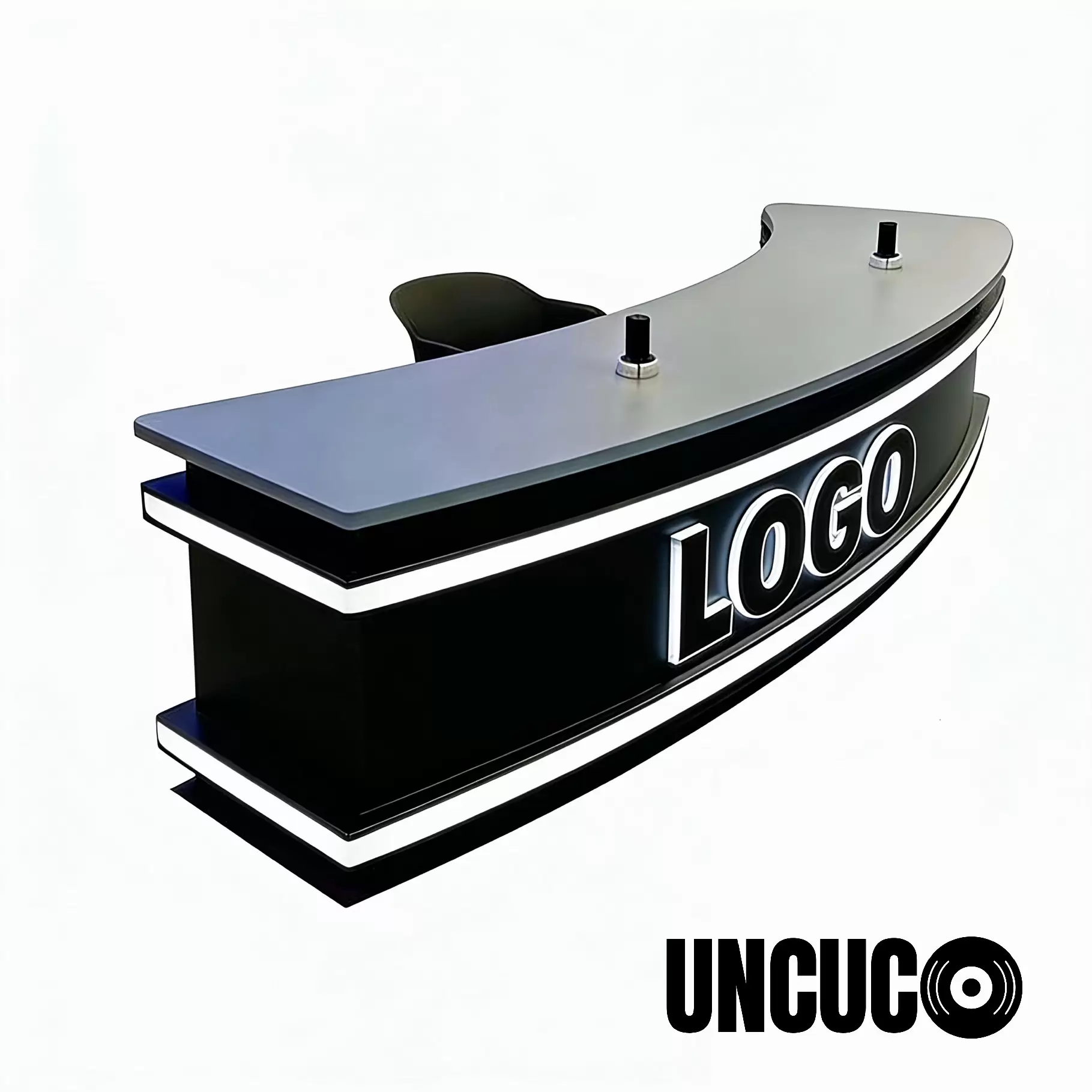
- What to look for: A custom or semi-custom news anchor desk with integrated RGBW LED front lighting strip, modular cable management system, and network-brandable fascia panel.
- Fascia panel: This is the front face of your desk — it should be designed to accept custom branding, channel logos, or backlit graphics for network identification.
- Structural depth: 30–36 inches for full camera depth-of-field management
- Finish: Low-reflectance matte surfaces rated for studio lighting conditions up to 1,500W
- Recommended: [Studio Recording Desk / Custom Anchor Desk — link to product page]
🎙️ Audio
-
- [ ] Broadcast-grade dynamic microphones per position (Shure SM7B, Sennheiser MD 421)
- [ ] Dedicated mixing console or broadcast audio processor
- [ ] IFB (interruptible foldback) system for producer-to-talent communication
- [ ] Full acoustic treatment: broadband absorption panels on all reflective surfaces
- [ ] Noise floor target: below -60 dBFS ambient
💡 Lighting
-
- [ ] Three-point lighting per position (key, fill, back/hair light)
- [ ] Softboxes with color correction gels for consistent temperature across positions
- [ ] Programmable LED background lighting (Govee, Nanoleaf, or studio-grade equivalent)
- [ ] Reference monitor for real-time color calibration
- [ ] Dimmer-controlled circuits for all fixtures
📷 Camera
-
- [ ] Broadcast-quality camera system (Sony FX3, Blackmagic URSA Mini) per angle
- [ ] PTZ camera for automated wide shots
- [ ] Teleprompter system integrated with desk monitor mount
- [ ] Professional video switcher (ATEM Mini Pro or equivalent)
🖥️ Production Infrastructure
-
- [ ] Dedicated streaming PC with hardware encoding (GPU-based)
- [ ] Production switcher for multi-camera management
- [ ] Broadcast graphics system (lower thirds, score bugs, transitions)
- [ ] 1G wired ethernet with redundant connection
🏙️ FIFA Host City Considerations
If your operation is based in or near a World Cup host city, consider:
-
- [ ] Portable/modular desk system for remote broadcasting from stadium media centers
- [ ] Battery-backed lighting system for outdoor live positions
- [ ] Weatherproofed cable management for temporary outdoor setups
- [ ] Local supplier relationships for rapid equipment replacement
Pro-Level Checklist Download → [Download PDF]
Accessory Deep Dive: The Four Pillars of Professional Studio Sound and Look
Regardless of tier, every broadcast studio lives or dies by these four accessory categories.
1. Microphone Arms: The Most Visible Accessory on Camera
A mic arm that appears on camera is part of your visual brand. Choose arms with a matte black or dark grey finish — chrome and silver arms catch studio light and create distracting reflections.
Key specs to verify:
-
- Arm reach: Minimum 15 inches of horizontal reach from desk clamp to mic position
- Load capacity: Check your microphone’s weight — the Shure SM7B is 766g and requires a heavier-duty arm
- Desk clamp compatibility: Confirm clamp fits your desk edge thickness (typically 1–2.5 inches)
2. Cable Management: The Most Underrated Setup Element
Nothing destroys professional credibility faster than visible cable chaos. In a broadcast setup, cable management is not optional.
The three-zone cable management system:
-
- Zone 1 — Desk surface: Zero cables visible. All power and signal cables route through in-desk grommets or channels before reaching surface-mounted devices.
- Zone 2 — Desk underside: All cables bundled with velcro wraps and routed along desk frame to a single exit point.
- Zone 3 — Floor run: Single bundled cable run from desk to wall/rack, hidden behind a cable raceway or routed beneath flooring.
3. Lighting: The Fastest Visual Upgrade
Three adjustments that immediately improve broadcast quality:
-
- Raise your key light — Light positioned above eye level creates natural shadow definition. Light at eye level or below looks flat and amateurish.
- Diffuse everything — Bare LED panels create harsh shadows. Add a softbox or shoot through diffusion fabric.
- Match your background — Background light temperature should be 200–400K warmer than your key light to create natural depth separation.
4. Acoustic Treatment: What Audiences Actually Notice First
Viewers forgive imperfect video far more readily than bad audio. Acoustic treatment is the highest-ROI upgrade at every tier.
Minimum viable acoustic treatment:
-
- Two 24×24 inch absorption panels at first reflection points (the wall directly beside your head at ear level)
- One panel behind the microphone (between mic and hard wall)
- Heavy fabric elements in the room (curtains, rugs, upholstered furniture) to reduce flutter echo
Bundle Recommendations: Complete World Cup Studio Kits
Rather than sourcing each component individually, consider these three pre-configured bundles:
Commentary Starter Kit
Podcast Desk + single mic arm + cable management kit
→ [View Bundle — link to product page]
Broadcast Pro Setup
News Anchor Desk + dual mic arms + in-desk cable tray system + fascia panel
→ [View Bundle — link to product page]
Network-Ready Studio Package
Custom Studio Desk + full cable management + branded fascia + monitor mounting system
→ [Contact us for custom quote]
FAQ: World Cup Studio Setup for Broadcasters and Podcasters
Q: What is the minimum desk size for a broadcast setup?
A: For a single-host setup, a minimum of 48 inches wide by 24 inches deep is recommended. This provides enough space for a monitor, microphone arm, and supporting equipment while keeping the camera frame clean.
Q: Do I need a special desk for on-camera broadcasting?
A: A purpose-built broadcast desk significantly improves your on-camera appearance compared to standard office furniture. Key differences include matte low-reflection surfaces, integrated cable management, and structural depth optimized for camera framing. For professional or commercial broadcasting, a dedicated anchor desk or podcast desk is strongly recommended.
Q: How many microphone arms can a podcast desk support?
A: Most purpose-built podcast desks support two to four mic arm clamps along the front edge. Always verify the desk edge thickness against your arm clamp specifications before purchasing.
Q: What desk finish is best for studio lighting?
A: Matte finishes in dark tones (charcoal, dark walnut, Moonlight Grey) perform best under studio lighting conditions. Avoid high-gloss white, glass, or polished metal surfaces, which create hot spots and reflections in your camera frame.
Q: Can I use the same desk setup for both podcast recording and live streaming?
A: Yes. A well-configured podcast desk or news anchor desk supports both use cases. The key consideration is cable management — ensure your setup allows rapid reconfiguration between recording and streaming modes without cable relocation.
Q: What is the best desk for a two-person sports commentary show?
A: A 72–84 inch wide anchor desk with a structured center divider or shared fascia panel is ideal for two-person commentary formats. This provides each host with a defined position while maintaining a unified on-camera appearance.
Q: How do I set up a World Cup commentary studio at home?
A: Start with a dedicated broadcast desk as the foundation. Add a quality dynamic microphone, a single boom arm, basic two-point lighting at 5600K, and minimal acoustic treatment (two absorption panels). This four-element combination resolves the majority of quality issues for home-based World Cup content creators.
Q: What equipment do I need for a sports podcast about the World Cup?
A: At minimum: a podcast desk, XLR microphone, audio interface, boom arm, key light, and 1080p camera. For multi-host formats, duplicate the microphone and arm configuration per host and add a multi-channel audio interface.
Download the Free World Cup Studio Setup Checklist (PDF)
All three tier checklists — Starter, Professional, and Pro-Level — are available as a free downloadable PDF. Print it, pin it, and use it as your room-by-room setup guide before June 11.
[⬇ Download the Complete World Cup Studio Checklist — Free PDF]
Ready to Build Your World Cup Studio?
The 2026 World Cup runs from June 11 to July 19. With 104 matches across 39 days, your audience will be watching — and judging — every broadcast you produce.
Your desk is where it starts. Browse our full range of broadcast-ready anchor desks, podcast desks, and studio recording desks, or contact our team to configure a custom solution for your media operation.
Last updated: April 2026. All equipment recommendations reflect current market availability for World Cup 2026 broadcast preparation.